Diário de um Químico Digital 3.0

Química, TICs e outras treconologias. :)

The World’s First Computer Password? It Was Useless Too — 28/01/2012

The World’s First Computer Password? It Was Useless Too

Media_httpblogadminwi_feclf


If you’re like most people, you’re annoyed by passwords. You’ve got dozens to remember — some of them tortuously complex — and on any given day, as you read e-mails, send tweets, and order groceries online, you’re bound to forget one, or at least mistype it. You may even be one of those unfortunate people who’ve had a password stolen, thanks to the dodgy security on the machines that store them.

But who’s to blame? Who invented the computer password?

Like the invention of the wheel or the story of the doorknob, the password’s creation is shrouded in the mists of history. Romans used them. Shakespeare kicks off Hamlet with one — “Long live the King” — when Bernardo must prove he’s a loyal soldier of the King of Denmark. But where did the first computer password show up?

It probably arrived at the Massachusetts Institute of Technology in the mid-1960s, when researchers at the university built a massive time-sharing computer called CTSS. The punchline is that even then, passwords didn’t protect users as well as they could have. Technology changes. But, then again, it doesn’t.

Nearly all of the computer historians contacted by Wired in the past few weeks said that the first password must have come from MIT’s Compatible Time-Sharing System. In geek circles, it’s famous. CTSS pioneered many of the building blocks of computing as we know it today: things like e-mail, virtual machines, instant messaging, and file sharing.

Fernando Corbató — the man who shepherded the CTSS project back in the mid-1960s — is a little reluctant to take credit. “Surely there must be some antecedents for this mechanism,” he told us, before questioning whether the CTSS was beaten to the punch by IBM’s $30 million Sabre ticketing system, a contraption built in 1960, back when $30 million could buy you a handful of jetliners. But when we contacted IBM, it wasn’t sure.


According to Corbató, even though the MIT computer hackers were breaking new ground with much of what they did, passwords were pretty much a no-brainer. “The key problem was that we were setting up multiple terminals which were to be used by multiple persons but with each person having his own private set of files,” he told Wired. “Putting a password on for each individual user as a lock seemed like a very straightforward solution.”

Back in the ’60s, there were other options, according to Fred Schneider, a computer science professor at Cornell University. The CTSS guys could have gone for knowledge-based authentication, where instead of a password, the computer asks you for something that other people probably don’t know — your mother’s maiden name, for example.

But in the early days of computing, passwords were surely smaller and easier to store than the alternative, Schneider says. A knowledge-based system “would have required storing a fair bit of information about a person, and nobody wanted to devote many machine resources to this authentication stuff.”

The irony is that the MIT researchers who pioneered the passwords didn’t really care much about security. CTSS may also have been the first system to experience a data breach. One day in 1966, a software bug jumbled up the system’s welcome message and its master password file so that anyone who logged in was presented with the entire list of CTSS passwords. But that’s not the good story.

Twenty-five years after the fact, Allan Scherr, a Ph.D. researcher at MIT in the early ’60s, came clean about the earliest documented case of password theft.

In the spring of 1962, Scherr was looking for a way to bump up his usage time on CTSS. He had been allotted four hours per week, but it wasn’t nearly enough time to run the detailed performance simulations he’d designed for the new computer system. So he simply printed out all of the passwords stored on the system.

“There was a way to request files to be printed offline by submitting a punched card,” he remembered in a pamphlet written last year to commemorate the invention of the CTSS. “Late one Friday night, I submitted a request to print the password files and very early Saturday morning went to the file cabinet where printouts were placed and took the listing.”

To spread the guilt around, Scherr then handed the passwords over to other users. One of them — J.C.R. Licklieder — promptly started logging into the account of the computer lab’s director Robert Fano, and leaving “taunting messages” behind.

Scherr left MIT in May 1965 to take a job at IBM, but 25 years later he confessed to Professor Fano in person. “He assured me that my Ph.D. would not be revoked.”


http://www.wired.com/wiredenterprise/2012/01/computer-password/

Essa é para desatentos… — 25/01/2012

Essa é para desatentos…

… que adoram compra Kelvin-Giga (KG) de banana no mercado.

… que adoram caminhar alguns Kelvin-Mega (KM) a pé.

… que adoram gravar músicas com muitos mili-bytes (mb) de tamanho.

Unidades

Enfim, essa imagem resume a relação entre os prefixos de grandeza de unidades, muito confundidos por leigos e até pelo pessoal das áreas técnicas.

Acho que a imagem é bem legal e dá uma boa ideia do quão grande um prefixo é em relação ao anterior e ao próximo.

Ah, e na próxima vez que você resolver comprar bananas no mercado, peça corretamente e compre alguns kg (kilogramas) e não KG (Kelvin-Giga). 🙂

Vi no 9GAG, que não tem nada de científico mas sempre tem algumas coisas legais para os nerds.

P.S.:Sim, eu vi que tem uma piadinha lá no final.

Slideshare sobre Webquests —

Slideshare sobre Webquests

Produção de WebQuest a partir da Taxonomia de Bloom

Peguei a dica lá no Edu@TIC.
Coleção Ensinar e Aprender no Mundo Digital – parte 1 — 23/01/2012

Coleção Ensinar e Aprender no Mundo Digital – parte 1

Vi a sugestão num post no Educ@TIC  e vou compartilhar os três primeiros volumes dessa coleção aqui no blog.

Para não dar confusão, vou separar em três posts diferentes que vou liberando ao longo dos próximos dias.

O material foi elaborado pelo pessoal do CENPEC.

Dica de site – Educ@TIC — 21/01/2012

Dica de site – Educ@TIC

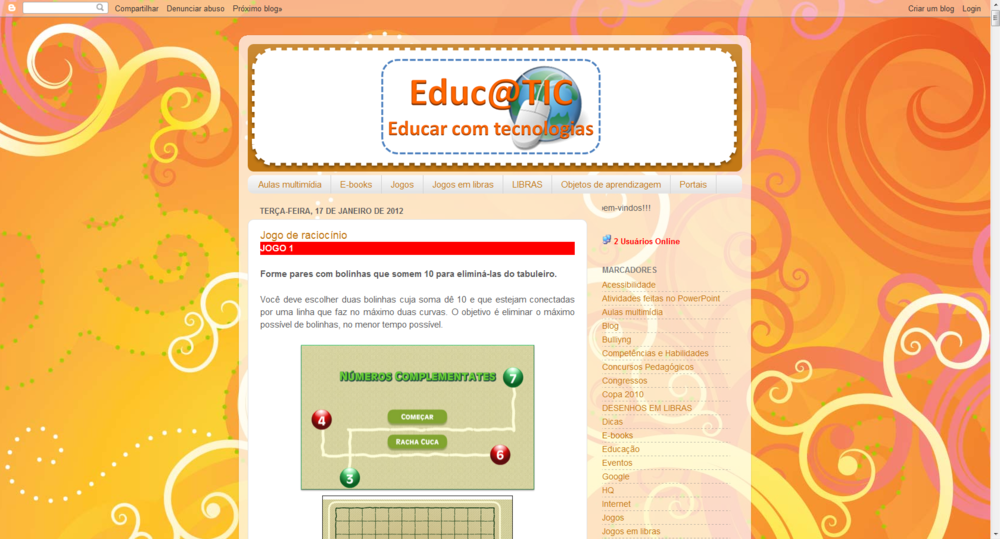
Estava eu “andando” pelas internerds da vida, procurando coisas interessantes para postar, quando me deparo com esse blog bem legalzinho que é o Educ@TIC.

Para quem tem interesse no tema “Tecnologias da Informação e Comunicação”, o blog é um prato cheio.

Educatic

#ficadica


Games em educação — 19/01/2012

Games em educação

Slideshare de autoria de João Mattar, autor de livros sobre EaD e sobre jogos em educação.

Recomendo a leitura.

Games Em Educação: como os nativos digitais aprendem

View more presentations from joaomattar
Onde encontrar Cursos EaD? — 18/01/2012

Onde encontrar Cursos EaD?

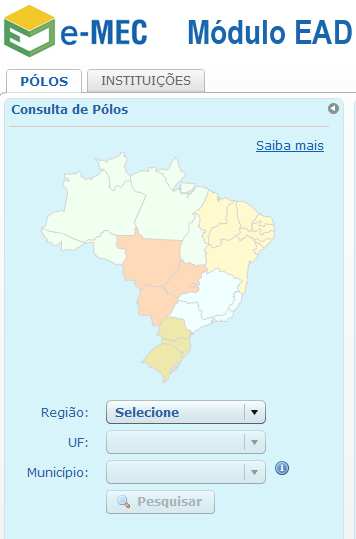
O site do e-MEC ajuda a resolver esse problema.

Emec

Acesse  http://siead.mec.gov.br/novosiead/web/emec e faça a sua pesquisa.

Dá para selecionar pólos de EaD ou instituições que ofereçam cursos nessa modalidade.

Dá para filtrar os resultados por região, estado e cidade e ainda dá para pesquisar direto por nome da IES.

Após concluída a pesquisa, ainda é possível filtrar o curso EaD por sistema de ensino (público federal ou estadual e privado).

Dá uma olhadinha lá, vale a pena!


Facebook para educadores — 17/01/2012

Facebook para educadores

E não é que a rede social do Sr Zuckerberg está preocupada com todos os tipos de público que a frequenta?

Além de terem criado o canal “Education on Facebook“, contendo dicas e estratégias para docentes usarem o facebook com fins educativos também disponibilizaram um e-book sumarizando todas essas orientações.

O livro está logo aqui na continuação do post. Você que é professor, pode ler direto no blog ou então baixar para seu computador, ler na tela ou até mesmo mandar imprimir.

Ah, e de quebra, os autores do livro têm um site para discutir as questões pertinentes ao uso de redes sociais no ensino. Acesse o http://facebookforeducators.org.


Quer aprender mais sobre o Moodle? —

Quer aprender mais sobre o Moodle?

Mosiac-moodle

Então, tó!

Este e-book, de autoria de Lynn Alves, Daniela Barros e Alexandra Okada trás diversas discussões acerca do Learning Management System mais famoso da atualidade, o Moodle.

Moodle é uma sigla em inglês para Modular Object-Oriented Dynamic Learning Environment, ou Ambiente de Aprendizagem Modular Orientado a Objetos.

Pode ser baixado e instalado em um servidor a partir do endereço http://moodle.org/.

Achei o livro para download aqui.

Prezi – Separação e liquefação dos gases do ar — 12/01/2012

Prezi – Separação e liquefação dos gases do ar

O leitor do blog (e por quê não, colaborador?) Luiz Vitor enviou outra bela apresentação feita no prezi.

Como não podia deixar de ser, vou prestigiar o trabalho do colega publicando o trabalho dele aqui no blog.

Continua assim, Luiz Vitor, além do teu trabalho estar muito bom você está estimulando outras pessoas a fazer uso das tecnologias de informação e comunicação na sua prática profissional.

Então, fiquem com o prezi na sequência do post: